
Seamlessly access Tableau data in Excel
directly from your extracts
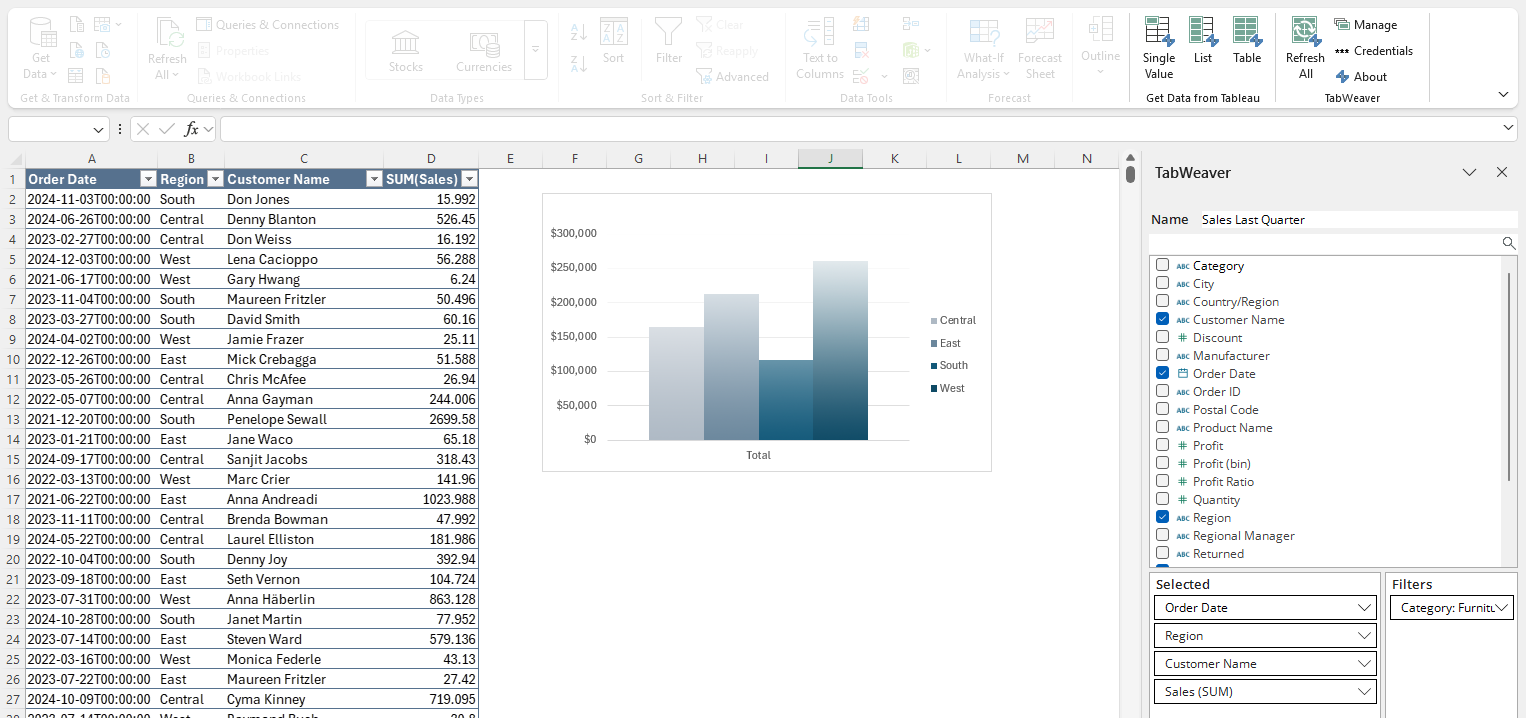
Bring data from your Tableau extracts directly into Excel. No custom dashboards or clunky exports.
✔️ Row level security
✔️ Role based access
✔️ Secure, local operation — your data stays yours
Use TabWeaver 100% free — no credit card required, no strings attached (if you're into that).
Connect to Tableau in seconds with simple, one-time setup.
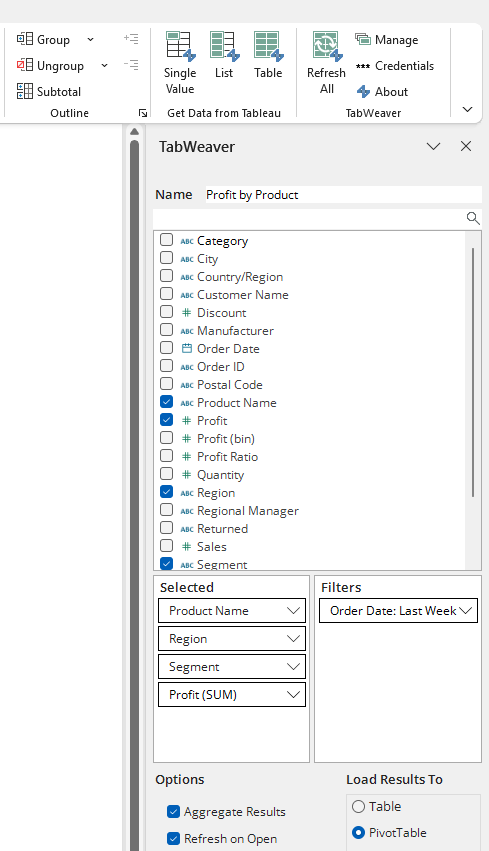
Simple to use and powerful to customize — no coding necessary. Pick your fields and filter your data with an intuitive and familiar selector.
Update your data in a single click or check a box to automagically refresh your data each time a workbook opens.
Support for both Username & Password and secure Personal Access Token (PAT) authentication. Need secure SSO or OAuth? Contact our sales team for enterprise solutions.
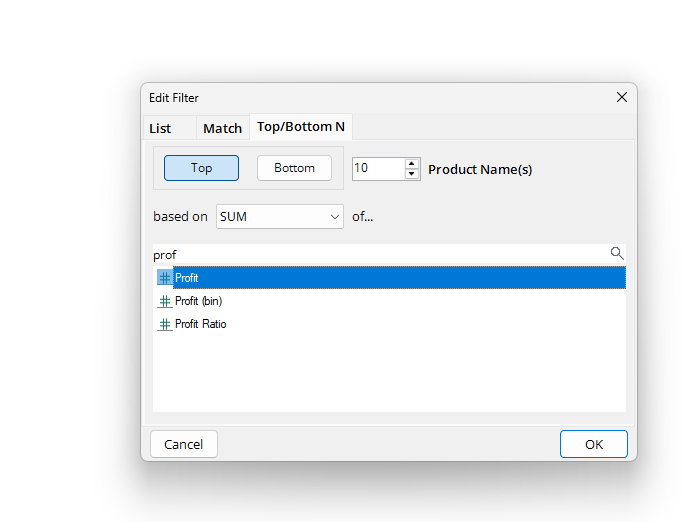
Apply robust filters and field aggregations (SUM, MIN/MAX, AVG, and many more) just like in Tableau.
TabWeaver makes it easy whether you need a complex dataset, a simple list, or a single value. Use your data anywhere — in a table, PivotTable, Excel’s data model, or directly in a cell.
Do all this without ever leaving Excel.
Start for free and scale with ease. Options that grow with you.
Great to try TabWeaver or for non-commercial use
✓ No time limit
✓ No credit card
✓ No catch
𐌢 Share & modify queries
Perfect for folks who need to use TabWeaver queries, not build them
✓ Refresh queries
✓ Automatic refreshes
𐌢 Build new TabWeaver queries
Billed Anually
The complete TabWeaver experience for individuals and teams
✓ Fully featured
✓ Share & modify queries
✓ Automatic refreshes
Billed Anually
See what’s included with each license to match your team’s needs.
| Features | Free | Enterprise Viewer | Unlimited |
|---|---|---|---|
| Connect Excel to Tableau Cloud extracts | ✓ | ✓ | ✓ |
| Load Tableau data to… | |||
| Tables | ✓ | ✓ | ✓ |
| PivotTables | ✓ | ✓ | ✓ |
| Direct-to-cell | ✓ | ✓ | ✓ |
| Excel Data Model | ✓ | ✓ | ✓ |
| Orchestration | |||
| Refresh self-authored queries | ✓ | ✓ | ✓ |
| Refresh co-authored queries | 𐌢 | ✓ | ✓ |
| Manual refresh | ✓ | ✓ | ✓ |
| Automatic refresh on open | 𐌢 | ✓ | ✓ |
| Security | |||
| Safe to share Excel files | ✓ | ✓ | ✓ |
| Save credentials securely to local machine | ✓ | ✓ | ✓ |
| Authentication - Username & Password | ✓ | ✓ | ✓ |
| Authentication - PAT | ✓ | ✓ | ✓ |
| Authentication - SSO & OAuth | 𐌢 | 𐌢 | Contact |
| Authoring | |||
| Create new queries | ✓ | 𐌢 | ✓ |
| Edit self-authored queries | ✓ | 𐌢 | ✓ |
| Advanced query filters | ✓ | 𐌢 | ✓ |
| Share & co-author queries | 𐌢 | 𐌢 | ✓ |
A few quick notes to make sure TabWeaver fits your workflow.
TabWeaver connects directly to your data using Tableau’s APIs. Tableau limits transactions with these APIs to:
( 100 x Your count of Creator Licenses ) / per hour
These limits apply per Tableau Cloud site. Exceeding this limit will cause TabWeaver updates to be temporarily unavailable until Tableau’s hourly API quota resets.
Just a few things we think you might want to know.
No! Because TabWeaver is an Excel add-in, most users do not require admin privileges to install it. Want to make sure? Download TabWeaver now for free!
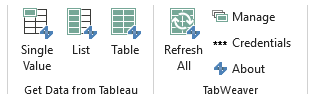
TabWeaver works by adding a few small beers buttons to your Excel ribbon (that’s Excel lingo for the toolbar at the top of your window—we won’t tell anyone you asked).
To get started, simply open Excel, click on the Data tab in the ribbon, and click on any of the TabWeaver options shown at the far right!
Yes! Datasets larger than Excel’s 1,048,576 row limit must be loaded into the data model and summarized using PowerPivot. Tableau also caps TabWeaver’s queries at 1gb. If you exceed that threshold, though, please message us—we’d love to know what in the world you’re up to.
Of course! TabWeaver has no impact on how you share your workbooks.
Yes! Not much more to say, really. R-E-S-P-E-C-T.
None. Zilch. Nada. If you’ve used Tableau, you’ll find using TabWeaver pleasantly familiar. Never worked in Tableau? No problem—we designed TabWeaver to be more simple than using a pivot table. Give it a try and tell us if you agree.
Mahi mahi, or New Zealand king salmon if you’re lucky (I love sushi). But seriously, no catch. It’s catchless. Entirely catch-free. 100% certified uncaught. If someone threw a ball, it’d fly right by. It’s not even allowed to play Catchphrase.
We designed TabWeaver to be accessible for students, individuals, and folks who just need some help getting their Tableau data into Excel. Our Free edition offers most of TabWeaver’s features without limitations for exactly that reason. When you graduate to working with a team or need to deploy TabWeaver at scale, our simple and flexible licensing plans ready when you are.
No. Refresh TabWeaver queries using the Refresh button in the TabWeaver section of your Data ribbon. Licensed users can also set queries to refresh automatically each time your workbook is opened.
Yes, other people can refresh your TabWeaver queries if:
1. They have TabWeaver installed with an active paid license
AND
2. They are able to sign in to your Tableau Cloud site and have permission to connect to the data source used in your query
TabWeaver respects your Tableau Cloud permissions—users can only query data that they would otherwise be able to access from Tableau Cloud.
Draper, UT
USA
